
Operational views
Work by today, tomorrow, week, slot, location, mode, status or capacity pool.
Give the whole team a reliable daily view of orders, workload, locations, time slots and preparation status.
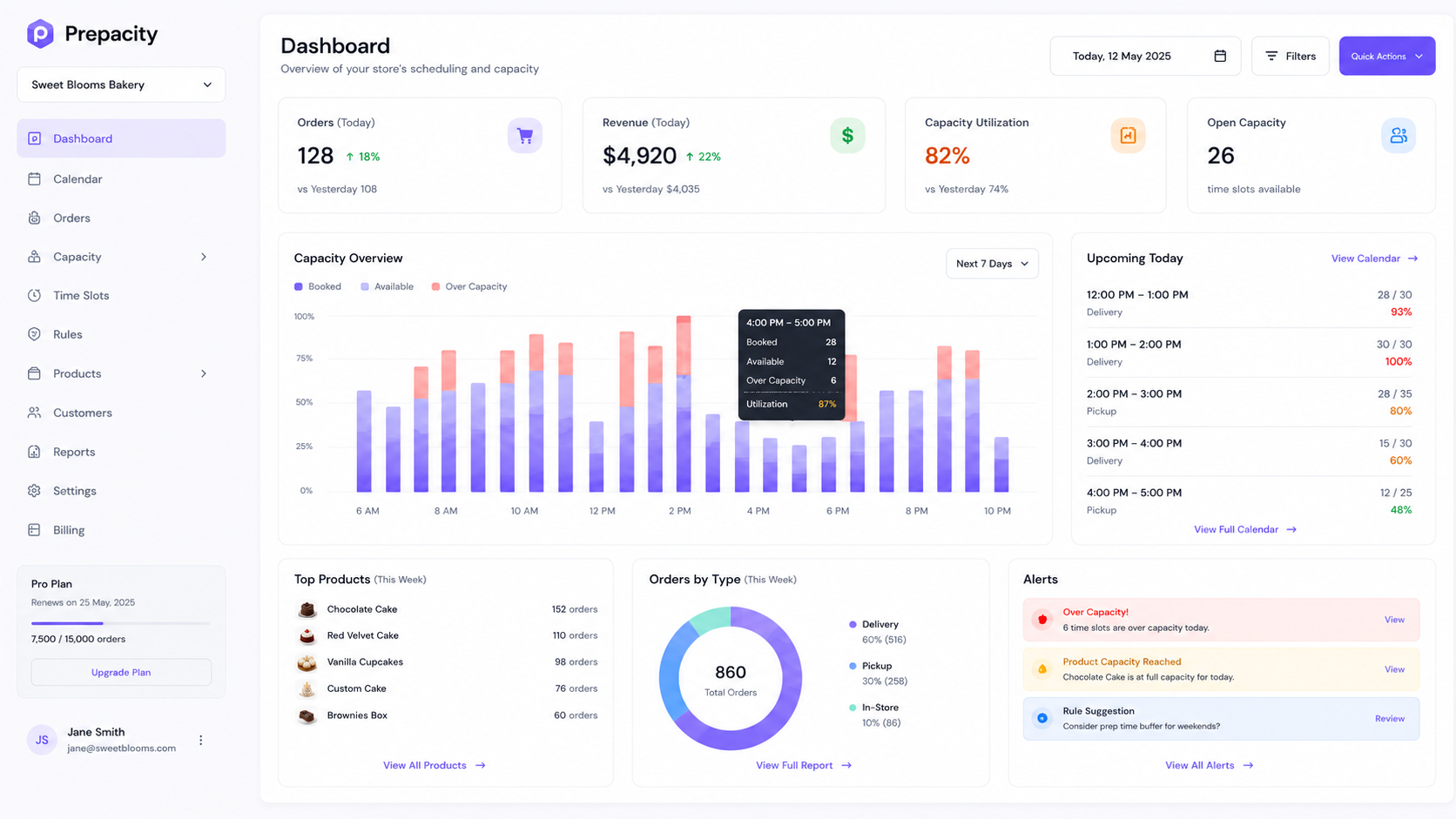
Work by today, tomorrow, week, slot, location, mode, status or capacity pool.
Progress orders through confirmed, preparing, ready, dispatched, delivered or collected.
Drag and drop with capacity validation, or use a keyboard-accessible reschedule action.
Add phone orders, block capacity, increase a slot temporarily and record an audited reason.
Filter every order by the operational view your team needs.
Update statuses, print preparation sheets and act on alerts in bulk.
Reschedule or override with availability checks and an audit trail.
Dense where it needs to be, clear under pressure, and responsive from a production desk to a phone at pickup.
Connect your store, model a few products, and place a capacity-aware test order in your 14-day trial.